No-code web testing for websites, forms, and UI states
Use no-code web tests to check visible pages, form states, and key copy without maintaining a Playwright suite.
On this page
Use this when
- Pricing page: the plan price and call to action still look right.
- Signup flow: the email field, checkbox state, and success message match expectations.
- Docs page: the version banner and article heading are still visible.
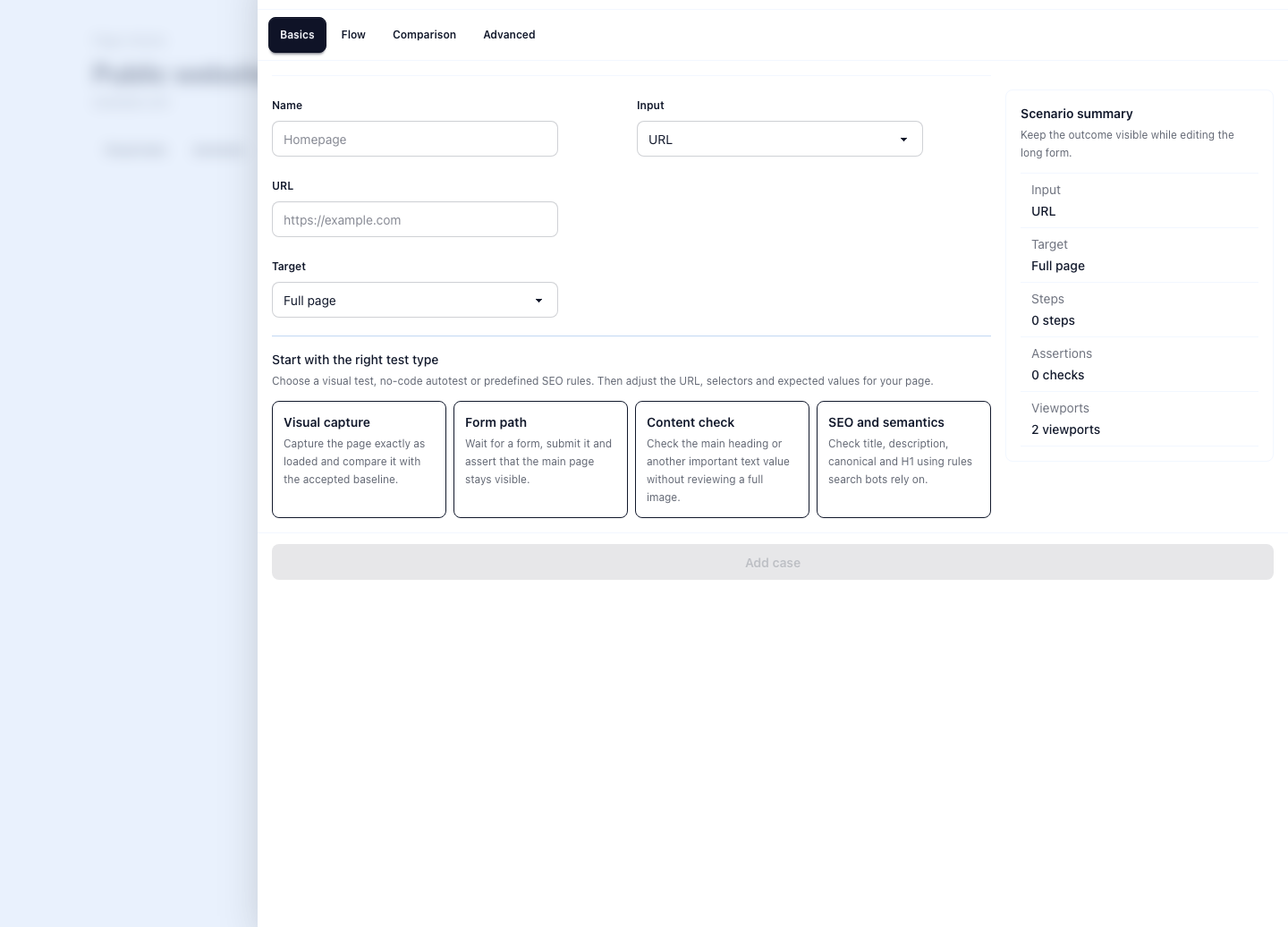
Start with the state a person already checks
No-code web testing works best where someone already opens the page by hand before a release. They check the plan price, the signup form, the release banner, the empty state, or the mobile layout that should still hold after a content edit.
The job is not to rebuild a full engineering suite in a UI. The job is to remove repeated manual review and make the expected state readable. Use visual comparison when the whole page matters and assertions when the key risk is a word, a value, or a checked state.
Which pages to cover first
Start where a missed change has a clear cost. For most SaaS teams that means pricing, signup, checkout, docs, onboarding, localized landing pages, and a few reusable UI states that keep breaking quietly.
A good first test answers one simple question. Is the plan still $49? Is the submit button enabled? Did the page reach the success state? Narrow checks are easier to review and easier to update when the product changes on purpose.
- Pick pages with an owner, not pages nobody will review again.
- Prefer visible business risk over broad selector coverage.
- Keep the first version small enough that the result is obvious at a glance.
- Add more assertions only after the first few runs prove useful.
Expected results should update from the run
Real pages change. Prices move, labels get rewritten, and default form states change because the product changed on purpose. A useful review flow lets the team approve the new state from the run instead of sending a non-technical reviewer back into setup.
That is why RenderLog separates visual baselines from assertion expectations. A clean visual run can become the new baseline. A passing assertion run can become the new expected value for the checks that actually ran.
- Approve a deliberate design change without rebuilding the whole check.
- Promote a new expected text or field value directly from the result.
- Keep review history tied to the accepted state.
- Avoid hidden drift between the page and the stored expectation.
When no-code web testing is not the right fit
If a team already owns a deep Playwright suite with fixtures, mocks, and code review, keep that work in code. If the job is only to generate a one-off screenshot or PDF, use the render path instead of saving a recurring check.
No-code web testing fits best when the page has an owner, the expected state is clear, and someone needs a readable result after each release, scheduled run, or client review.
Related links
Guide questions
Is no-code web testing the same as visual regression testing?
What should a first no-code web test cover?
Ready to apply this on a real page?
Turn the next important page into a saved result, a reviewed baseline or a recurring check instead of leaving it as a one-off issue.