Reusable page setup
Store URL, viewport, waits, flow steps and ownership once, then reuse it from the dashboard, CI, API or schedule.
Compare the current page with the version your team approved.
Usage-based pricing. Failed runs without a useful result are not billed.
Release check
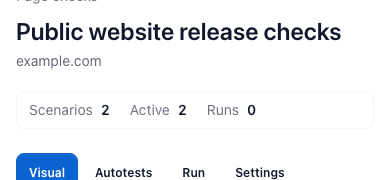
Latest run
Visual review
No-code test
Capture/export
How it works
From one URL to a result you can compare
Create a workspace and generate your API key.
Define URLs, selectors and viewports for each target.
Add headers, cookies and waits for tricky pages.
Pick a baseline or let the latest capture become the default.
Schedule captures and send webhooks on changes.
Review history and compare versions in the dashboard.
Store the page setup, accepted state and review trail together, so a generated result can become an operational check instead of another loose file.
Store URL, viewport, waits, flow steps and ownership once, then reuse it from the dashboard, CI, API or schedule.
Approve the state you trust, compare later runs against it and keep the review decision with the result history.
Pay for successful results first. Add frequency, throughput or longer retention only when the workload needs it. Video is charged only on video runs.
How it works
Use the API for files. Save a no-code web test when the same page, app flow or component state needs assertions, baselines, alerts and repeat runs.
API output
Call RenderLog from a backend job, CI pipeline or product feature to create screenshots, PDFs, HTML, Markdown or stored files.
No-code tests
Save high-value URLs, app flows or UI kit states with viewports, waits, assertions and expected results when they need repeatable control.
What both paths share
Choose the result that represents the accepted state. Later runs compare against that decision.
Start checks manually, from CI, through the API or on a schedule when Automation is enabled.
Open changed cases, keep the result and notify Slack, Teams or a webhook when action is needed.
Keep result files, labels, logs and billing context attached to the same page or API run.
Start with the core review flow, then add frequency, throughput or longer retention only when the work proves it needs more.
No separate subscription is required for core capture and review. Usage below EUR 3 carries forward.
See pricing detailsProduct of the day

Pay only for real results
A run is billed only when it returns a real result. Timeouts, browser errors and bad results without a result are not billed.
Keep one-year retention when it matters
Retention 1 Year keeps result files, previews, baselines and run logs for a full year with managed storage up to 3 TB.
Use video output as a per-run option
Video output is async-only and adds a separate per-video run rate on top of the normal successful run price.
Scale scheduled checks when needed
Automation raises suite launches, Check Cases per suite and viewports per case without changing the core run model.
Coverage
Screenshots, PDFs, HTML, Markdown and files use the normal successful-run price. Async video keeps the same run history and adds a separate per-video run rate.
Promote an accepted state, compare later runs and keep the reason for the decision.
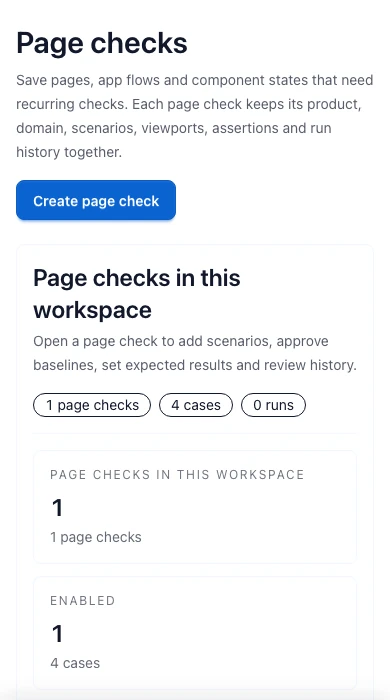
Group priority pages, app flows and UI kit states with viewports, waits, flow steps and owners.
Use headers, cookies, selectors, waits, blocked requests and device presets.
Use cases
Start where a missed browser-visible change already costs trust, support time or release confidence.

Product releases
Trigger web tests from CI, wait for the page to settle and review only screens, assertions or states that changed.
Fits pricing, signup, checkout, payment, dashboard and component states.

Marketing sites
Save the accepted version, then catch broken CTAs, shifted sections, missing blocks and pricing edits.
Run checks after CMS updates, campaigns, SEO edits and pricing changes.

Client work
Agencies keep a visual record for client sites and apps, run regular checks and show exactly what changed.
Use it for weekly reports, content updates, app flows and post-release checks.
Content teams
Docs, SEO pages, help centers and long pages can lose headings, CTAs or metadata without breaking the app. Check the visible content and keep a review trail.
Verify headings, plan text, localized copy and page structure after CMS edits, translations and SEO updates.
Start with a real page, define the expected result and use the matching walkthrough to set up your first run.
Plan the target, schedule and review process before enabling alerts.
Choose visual, form, content or SEO checks for the outcome you need.
Choose a one-off capture or a saved check and keep credentials private.
Pick one page that matters, approve its current state and let the next run show whether anything visible changed.