Screenshot automation and visual review
RenderLog brings together manual captures, scheduled page checks, baselines, and shared review history for important website surfaces.
On this page
Use this when
- Start with one manual page capture or API run.
- Save the setup once the page becomes a repeating check.
- Approve a visual baseline or expected assertion state from the run itself.
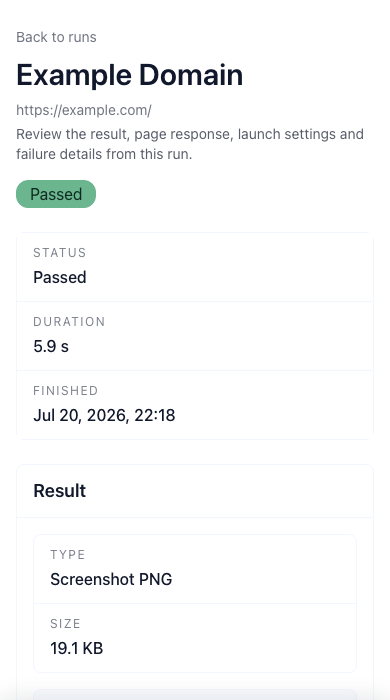
What a page check needs after the first run
A screenshot alone rarely answers the next question. Teams still need to know which setup produced it, which run became the approved state, and what should happen when the page changes again.
RenderLog sits between one-off capture and long-term ownership. The same page can start as a manual result, turn into a saved check, and later use baselines, assertions, logs, and alerts without spreading the workflow across folders, threads, and spreadsheets.
Where teams usually start
The first useful page is usually the one that already creates review work: a landing page after CMS edits, a sign-up flow in production, a pricing page before launch, or a client site that needs a current visual record.
Those pages are shared surfaces with visible business impact. They need evidence that can be read by more than one person, not just a developer snapshot buried in a repository.
- Marketing pages and campaign pages that change often.
- Sign-up, billing, or checkout steps with production-only states.
- Docs and localized pages where visible copy matters.
- Client sites that need repeatable before-and-after review.
When a lighter tool is enough
A narrower tool still fits when the team only needs image output or repository-native visual tests. If the full workflow already lives in Playwright snapshots or Chromatic component review, adding a separate page-review workspace may be unnecessary.
RenderLog is a better fit when the problem is ownership around shared pages: approved states, recurring review, result files, and visible history outside one repository.
Build your first review path
Start with manual captures for quick proof, then move to scheduled checks once the same page keeps returning. Add baselines and alerts only after the team agrees what a clean result looks like and who reacts when it changes.
That path keeps the product grounded in real review work instead of turning page checks into another feature list.
Related links
Guide questions
Is RenderLog only a screenshot API?
Who gets value first from RenderLog?
Ready to apply this on a real page?
Turn the next important page into a saved result, a reviewed baseline or a recurring check instead of leaving it as a one-off issue.